Is there a cloud version of AYS?
At Your Service – Repair Center is a traditional desktop application, but you can run it remotely on certain cloud services.
At Your Service – Repair Center is a traditional desktop application, but you can run it remotely on certain cloud services.
If you have recently upgraded your Windows operating to a newer version and see a message similar to the one below, what does it mean?
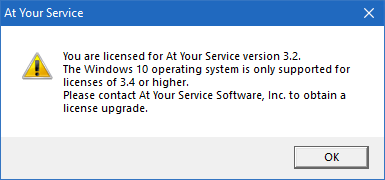
At Your Service – Repair Center is supported on newer 32-bit and 64-bit versions of Windows including:
At Your Service has been tested on the Amazon AWS Lightsail platform. This allows you to run the At Your Service – Repair Center software and database server fully in the cloud, with only minimal client hardware.
The following are basic steps to set up an AWS Lightsail server and get started:
SQL Server Express can be used instead of larger deployments of SQL Server, depending on your company’s requirements.
Database configuration and setup described in this article can be followed, but by default, the server is not accessible over the network. Follow these steps to make the server visible so that you can connect to and configure the server from another workstation on the network.
At Your Service Software, Inc. will not provide support for installing or administering SQL Server on your hardware and network. Please consult a local IT service provider and/or Microsoft for this service.
This article will describe the configuration and setup of QuickBooks integration with At Your Service Repair Center software.
QuickBooks integration is an optional feature that you may purchase for your license. Please contact us for a quote if you are interested in adding this feature to your license.
Your customers can look up the status of their repair jobs online, freeing your staff from repeated phone calls.
Each new license purchase of AYS comes with a free trial of RepairStatus.net – our hosted solution for your repair status data.
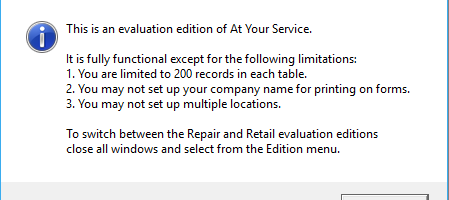
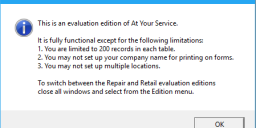
After a Windows 10 operating system update, a previously licensed version of AYS displays the message “This is an evaluation edition of At Your Service”.
After a Windows 10 operating system update was installed (either automatically or manually), when starting a previously licensed installation of AYS, you see the following messages:
If you are using Microsoft Access AYS database files, multiple users at your location can open and work with the same database across your network. You will need a multiple seat license to open the database with multiple users concurrently. Please contact us if you would like to upgrade to obtain this ability.
At Your Service – Repair Centre and its Internet Utility can use GMail’s servers to send and receive email. This article describes the settings required.