How Can I Back Up My AYS Database?
At Your Service provides some automatic means for database backup, and you can choose typical backup strategies to improve the security of your data.
At Your Service provides some automatic means for database backup, and you can choose typical backup strategies to improve the security of your data.
This article will describe the configuration and setup of QuickBooks integration with At Your Service Repair Center software.
QuickBooks integration is an optional feature that you may purchase for your license. Please contact us for a quote if you are interested in adding this feature to your license.
Bulk or batch entry of new repair orders is made easy with the batch repair order entry process of AYS Repair Center. Once the initial order is entered, subsequent orders can be entered with minimal additional information.
Your customers can look up the status of their repair jobs online, freeing your staff from repeated phone calls.
Each new license purchase of AYS comes with a free trial of RepairStatus.net – our hosted solution for your repair status data.
In addition to the online Repair Status Lookup, AYS Repair Center enables you to communicate directly with your customers through automatic notifications triggered by repair status changes. You can also use this functionality internally, automatically sending messages to your assigned technicians when work is available to them.
You can use email, SMS text messages, and fax.
AYS Repair Center can assist you in operating a rental business or providing loaner equipment to customers during repairs.
You can use the Warranty Card module to manage this equipment.
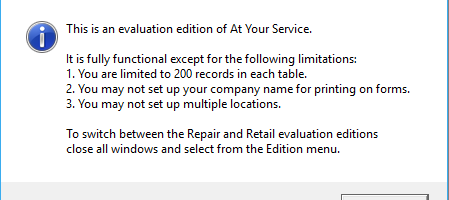
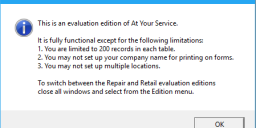
After a Windows 10 operating system update, a previously licensed version of AYS displays the message “This is an evaluation edition of At Your Service”.
After a Windows 10 operating system update was installed (either automatically or manually), when starting a previously licensed installation of AYS, you see the following messages:
The Online Repair Status Lookup feature in in AYS Repair Centre lets you easily share repair updates with your customers. Whether you subscribe to our annual hosting service or host it on your own servers, this tool integrates seamlessly with your existing website.
Brother QL-series label printers do not print vertically-oriented bar codes on AYS labels.
When installing a new version of AYS over a previous AYS installation, a message similar to the following appears:
Error 1907. Could not register font. Verify that you have sufficient permissions to install fonts, and that the system supports this font.